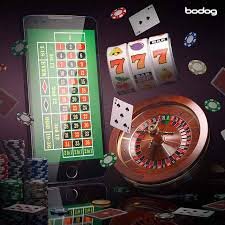
The bd777 app experience is built around mobile browser access — open bd777 on your phone, sign in, and your account, wallet and game lobby are right there. Whether you are on Android or iOS, the site is laid out for phone screens so you are not squinting at desktop formatting. Availability depends on local law and eligible regions in Pakistan.
Accessing bd777 on a mobile browser is not a stripped-down version of the desktop site. The layout adapts to your screen: navigation sits at the bottom, game tiles fill the width of your display, and your account balance is visible from the moment you land on the page after sign-in. Account routes for your wallet — including Easypaisa, Raast and Debit Card — are reachable in two taps from the lobby. The overall goal is that a returning user can reach any part of the platform quickly, without hunting through menus.
Responsive Layout
The page layout shifts for phone screens automatically. Menus, game tiles and account buttons are sized for touch, so you can tap accurately without zooming. No separate version of the site is needed — the same account works across all screen sizes.
Account at First Tap
After you sign in, your account balance and wallet routes appear before the game discovery section. That means your Easypaisa or Raast wallet status is visible straight away, without scrolling past a wall of game banners first.
Game Lobby Navigation
Slots from CQ9, PG Soft, Habanero and JDB, live casino tables and the sportsbook are each one tap away from the bottom navigation bar. Switching between categories does not reload the full page, keeping your session continuous across game types.
App Availability Check
Whether a native Android or iOS build is currently available is shown inside your account settings after login. We do not make that claim here because availability can change — check the published page in your account for the current state.
BROWSER ACCESS STEPS
Reach the bd777 Lobby in Three Steps
Getting into the lobby on your phone takes less than a minute once your account is set up. Open your preferred mobile browser — Chrome or Safari both work — and go directly to bd777. Do not rely on a saved search result; type or bookmark the current domain so you always land on the right page. From there, enter your login details on the sign-in screen. After authentication, the lobby loads in its mobile layout with your account balance visible in the header.
Step 1: Open bd777
Type bd777 directly into your mobile browser address bar. Bookmark the page so you return to the correct domain every time without searching.
Step 2: Sign In to Your Account
Enter your registered credentials on the login screen. Your account session stays active on that browser unless you log out manually, so returning visits go straight to the lobby.
Step 3: Check App Availability
Once inside, open your account dashboard and look for the app section. It shows the current download or access option available for your device, if one is published.
Step 4: Start Exploring
With your session open, the bottom navigation bar lets you switch between slots, live tables and the sportsbook without reloading. Your wallet balance and recent account activity are a single tap away from any screen.
DEVICE COMPATIBILITY CHECK
Which Devices Work with the bd777 App
The bd777 mobile experience runs through the browser, which means compatibility is broader than a native app install. Any modern smartphone with an up-to-date browser can access the full lobby, account wallet and support pages. Rather than publish specific OS version numbers that change with every device update, we point you to the compatibility information shown inside your account — that reflects what we currently support. If something does not display correctly on your device, the support team can check whether your browser version or screen resolution is the cause.
Android Phones
Chrome on Android is the most straightforward path. The lobby layout, account balance display and bottom navigation bar all render as intended. If you use a third-party browser, check that JavaScript is enabled in its settings.
iOS Devices
Safari on iPhone and iPad loads bd777 without a separate app required. Adding the site to your Home Screen from the Safari share menu gives you a shortcut that opens directly to the lobby, similar to an app icon.
Account Requirements
A registered and verified bd777 account is needed before you can access the wallet and game lobby on mobile. The account setup process and verification steps are shown on the registration screen when you first open the site.
Screen Layout Behaviour
Portrait mode is the intended orientation for phone screens. The game tile grid and bottom navigation are optimised for vertical scrolling. Landscape works too, though the tile layout adjusts accordingly.
Current Device Guidance
For the most accurate information on supported devices and any published native app, open your account dashboard after login. The app section there reflects what is currently available — not a static page that may be out of date.
APP HELP CHANNELS
Get Help with Mobile App Access
If the bd777 app or mobile site does not load as expected, or if you cannot locate the native app option in your account, the support team can walk you through it. Common questions include browser cache issues that prevent the login page from loading, and account sessions that expire unexpectedly on mobile. Before contacting support, try clearing your browser cache and loading bd777 fresh. If the issue continues, reach out through the channels below. Support availability and response timing are shown on the published contact page inside the site — we do not state hours here that we cannot keep consistent.
Live Chat
The live chat button is visible on the site after login, including on the mobile layout. It connects you to the support team for account access questions, including help locating the app download if one is currently available for your device.
Email Support
For issues that need a written record — such as a login error on a specific device, or a question about whether a native app is published for your phone model — email support is available through the contact page inside your account.
App Access Page
Inside your account dashboard there is a dedicated section covering current app availability and device guidance. Check this page first before contacting support — it is kept updated with the latest access options and any published install steps.
SECURE APP ACCESS
Keep Your Account Safe on Mobile
Using bd777 on a mobile browser carries the same account-security responsibilities as on desktop. A few practical checks make a real difference. Always confirm you are on bd777 before entering your credentials — the domain shown in your browser address bar is your clearest verification point. Your account password should be unique to bd777 and not reused across other services.
Verify the Domain
Before entering your login details, check that the address bar shows bd777. This single check protects you from phishing pages that may resemble the real site. Bookmark the correct address so you always open from a known starting point.
Use the Published Recovery Path
If your session expires or you forget your password, use the recovery option on the sign-in screen — it follows the steps published there. Do not share credentials with anyone claiming to offer account recovery through third-party channels.
App Source Verification
If a native app build is available, the download link is shown in your account dashboard. Only install from that published source. Files from external sites or messaging apps are not verified by us and carry account risk.
Account Credential Practice
Your bd777 password and any linked wallet PIN — whether for Easypaisa, Raast or Debit Card — should remain private. The platform will never ask for your full password through chat or email. If asked, it is not our support team.
INSIDE THE MOBILE LOBBY
Explore bd777 Through the App Interface
Once you are signed in on your phone, the lobby organises content into clear horizontal rails. Slots from CQ9, PG Soft, Habanero and JDB sit in their own category, with game tiles large enough to read on a small screen. Live casino tables and the sportsbook — including cricket match markets that PSL followers in Pakistan follow closely — are one tap away in the bottom navigation. Your wallet section shows your current balance, and the account controls for reviewing past transactions are reachable without leaving the mobile layout.
APP QUESTIONS ANSWERED
Frequently Asked Questions About the bd777 App
Common questions from Pakistan users about accessing bd777 on mobile, account continuity across devices, and where to find the current app availability information.
Is there a bd777 app I can download for Android or iOS?
Whether a native app build is currently published for Android or iOS is shown inside your account dashboard after login — look for the app section there. We do not confirm or deny availability here because it can change. The mobile browser experience at bd777 works on both platforms without any install required.
How do I access bd777 on my phone without an app?
Open bd777 in your mobile browser, sign in with your registered credentials, and the full lobby loads in a phone-friendly layout. On iPhone, you can add the site to your Home Screen from Safari's share menu so it opens like an app icon. On Android, Chrome allows the same shortcut through the browser menu.
Does my account work on both mobile and desktop?
Yes. Your bd777 account — including your wallet balance, transaction history and game progress where applicable — is tied to your account credentials, not a specific device. Sign in from your phone, then continue from a desktop browser and the same account state is there. There is no separate account needed for mobile.
My mobile browser is not loading the bd777 lobby correctly. What should I do?
Clear your browser cache first, then reload bd777 directly from the address bar. If the issue continues, check that JavaScript is enabled in your browser settings, as the lobby requires it. Still not working? The live chat support option on the site can check whether your specific browser version is the cause.
Can I deposit with Easypaisa or Raast through the mobile app?
Wallet options including Easypaisa, Raast and Debit Card are accessible through the account section on mobile. The deposit flow follows the same steps as desktop. Availability of specific payment methods depends on your account status and local eligibility — the current options are shown in your wallet section after sign-in.
Is it safe to use the bd777 app or mobile site on public Wi-Fi?
Using any account service on public Wi-Fi carries general risk. On bd777, always confirm the address bar shows bd777 before entering credentials. Avoid logging in on shared devices. If you need to access your account on a network you do not control, log out fully when done and do not save your password in a shared browser.
 Mobile / App